

Now you can enjoy all CyanogenMod apps on your Android phone / tablet without installing CyanogenMod custom Rom or rooting them. Nowadays, CyanogenMod is becoming very popular among ordinary users as recently some of the phones have been lunched with it as stock firmware, such as OnePlus One and Yureka. CyanogenMod has been one of best custom Roms and after market firmwares developer all the time.
There firmware combined stability, performance and useful features all together to provide excellent user experience enriched with lots of fun and accessibility. If you are looking to install CyanogenMod apps on your phone, then you’ve come to right place. In this post, we’ll tell how easily you can install them without having to root your Android device.
To install CyanogenMod apps, we’ll be using an app called “CM Apps”, which allows to install most of the CyanogenMod apps on any android device with only one requirement, that is your device should be running on Android 4.2 and up. Get this App: CM Apps on Google Playstore, and install it on your smartphone.
About CM Apps
CM Apps is developed and distributed by Maarten Dekkers. The app does not required root permissions to install these apps. Using this app, you’ll be having a list of CyanogenMod apps, you can install them as per your requirements.
Screenshots
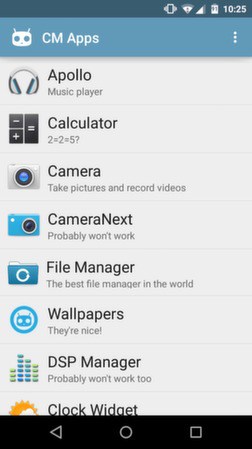

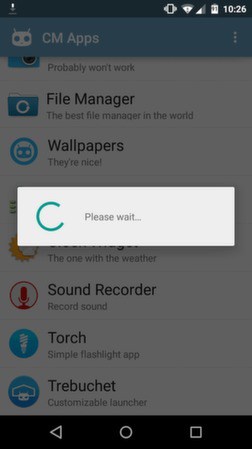
Currently this application allow users to install following CyanogenMod apps:
- Apollo – An awesome music player, very interactive dark user interface, many custom features to personalize the entire music experience.
- Camera Next and Camera – An advance camera apps, loaded with quick-access control bar helps you to click images and record video on the go.
- Clock widget – Have this cool clock widget on your home screen.
- DSP Manager – A must have app, it’ll improve the sound quality to good level. Excellent music equalizer, best of music lovers, manage bass, treble, etc. easily.
- File Manager – A very beautiful file manager apps, designed very well, easy to use interface, multiple features to make easy to manage all kind of files and much more.
- Sound Recorder– Handy app to get started with audio recording.
- Calculator – Easy to use calculator with Advance calculating functions, basic to Advance, it includes everything.
- Torch – A must have app, it helps when it dark.
- Trebuchet – Just like a Google Now launcher with additional customization features.
- Wallpapers – Collection of official stock wallpapers distributed by CyanogenMod team.
If you see, you’ll find that many of the CyanogenMod apps are already available in Google Play software, however, this application has combined them all together, so you don’t have visit one by one for them.
As this CM Apps get updated, more CyanogenMods apps will be added and you’d be able to install them as well.
-
-

-

-

-

-

-

-

