

Learn how Android’s Nearby Share lets you effortlessly transfer files and links to nearby devices – offline, secure, and lightning-fast.
Gone are the days of fumbling with cables, struggling with Bluetooth pairings, and burning precious mobile data just to share a file. Forget the hassle of tangled cables and unreliable internet connections – Android’s Nearby Share feature offers a seamless and convenient solution for transferring content between devices. Whether you’re sharing photos with friends, sending documents to colleagues, or distributing party playlists, Nearby Share has you covered.
What is Nearby Share?
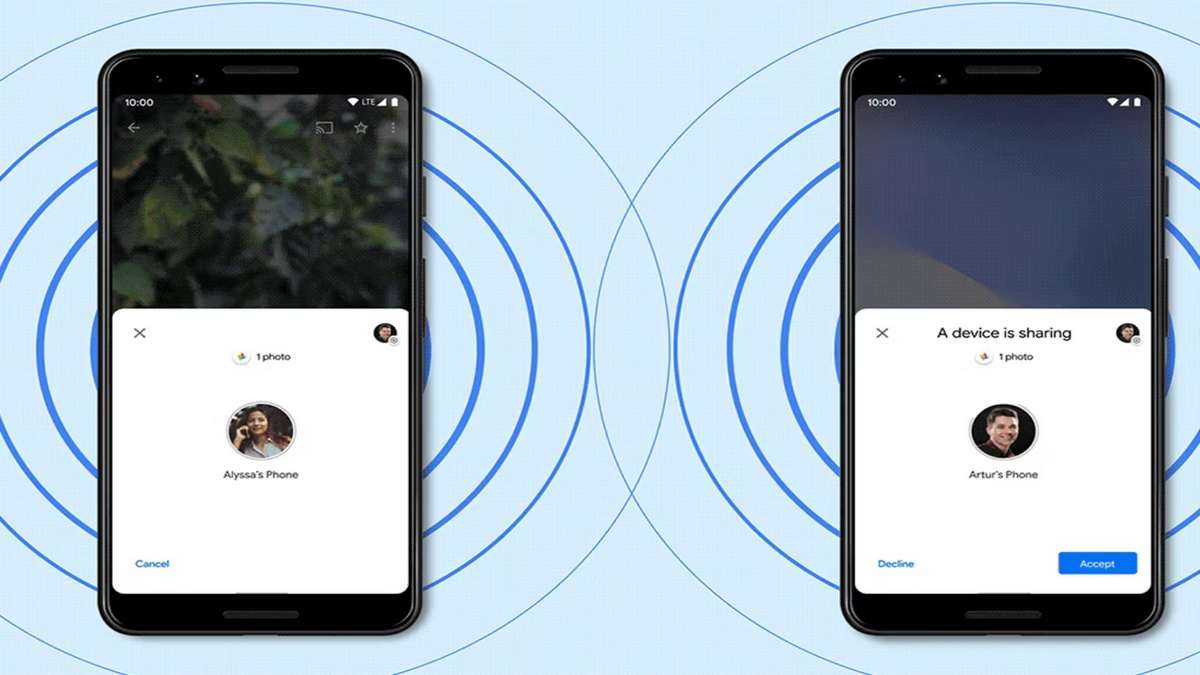
Nearby Share is a built-in Android feature that utilizes Bluetooth and Wi-Fi to directly share files and links between devices. It’s a secure and privacy-focused alternative to traditional sharing methods, allowing you to transfer content directly to nearby devices without the need for an internet connection or third-party apps.
Getting Started with Nearby Share
Before you dive into sharing, ensure both your device and the recipient’s device meet the following requirements:
- Android 6.0 or later: Nearby Share is available on most Android devices running Android 6.0 Marshmallow or later.
- Bluetooth and Location: Both Bluetooth and Location services must be enabled on both devices for Nearby Share to function.
- Device Visibility: Make sure your device is visible to the recipient. You can choose to make your device visible to everyone, your contacts, or specific devices.
Also see:
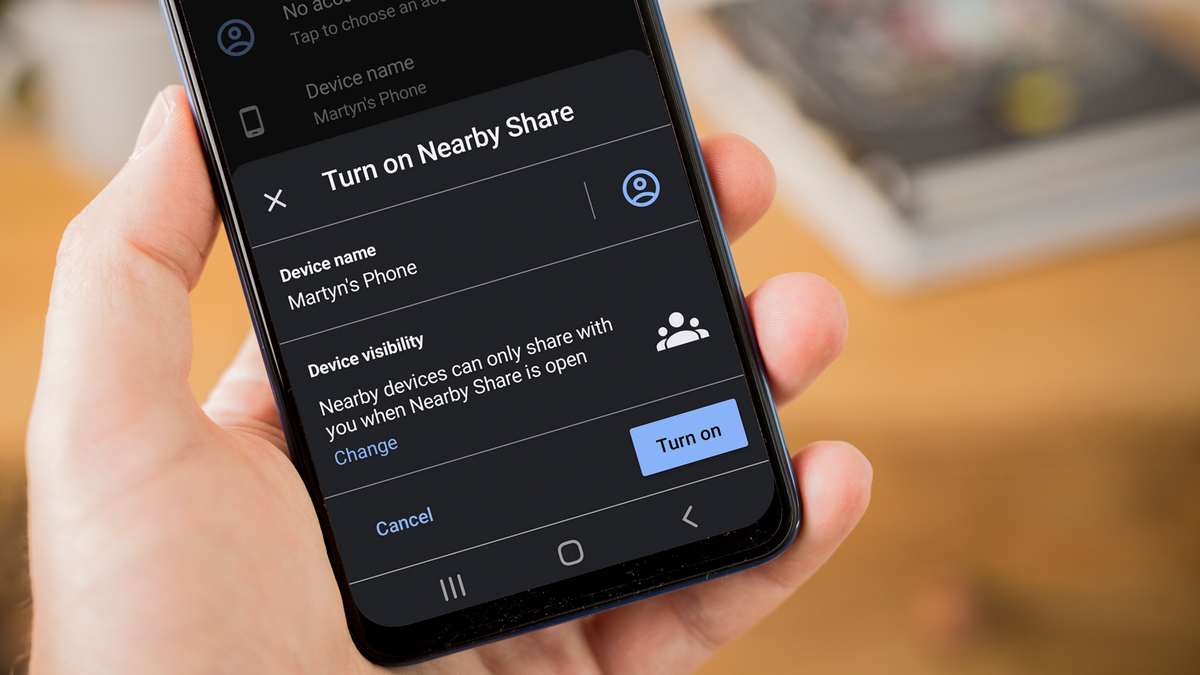
Turning on Nearby Share:
- Open the Settings app on your Android device.
- Scroll down and tap on Connected devices.
- Select Connection preferences.
- Tap on Nearby Share.
- Turn on Nearby Share.
Sharing Files and Links:
Now that you’re all set up, sharing files and links is a breeze:
- Open the app containing the content you want to share (e.g., Photos, Files, Chrome).
- Locate the file or link and tap the Share button.
- Select Nearby Share from the sharing menu.
- Your device will start searching for nearby devices.
- Once the recipient’s device appears, tap on its name.
- The recipient will receive a notification to accept the transfer. Once they accept, the transfer will begin.
Tips for Successful Sharing:
- Keep the devices close together during the transfer, ideally within a few feet of each other.
- Ensure both devices have sufficient battery life to complete the transfer.
- Large files may take longer to transfer, so be patient.
- You can cancel the transfer at any time by tapping on the Cancel button.
Advanced Features:
Nearby Share offers several additional features to enhance your sharing experience:
- Device visibility: You can control who can see your device by choosing from Everyone, Contacts, or Specific devices.
- Receiving files: You can choose to automatically accept transfers from specific devices or contacts.
- Sharing history: You can view a list of your recent Nearby Share transfers.
Benefits of Using Nearby Share:
- Fast and efficient: Nearby Share transfers files significantly faster than traditional Bluetooth.
- Offline sharing: No internet connection needed – share files even when you’re offline.
- Secure and private: Nearby Share uses encryption to protect your data during transfer.
- Cross-platform compatibility: Nearby Share works with other Android devices, Chromebooks, and Windows 10 and later PCs.
Also see:
Troubleshooting:
If you’re having trouble using Nearby Share, here are some troubleshooting tips:
- Make sure both devices have Nearby Share enabled.
- Check if Bluetooth and Location are turned on on both devices.
- Ensure both devices are visible to each other.
- Try restarting both devices.
- If the issue persists, you can visit the Google Support page for further assistance.
Conclusion:
Nearby Share is a powerful and versatile tool that makes sharing files and links on Android a breeze. With its ease of use, offline capabilities, and security features, Nearby Share is the perfect solution for anyone looking for a quick and reliable way to share content with friends, family, and colleagues. So, give Nearby Share a try and experience the future of file sharing!
We hope this comprehensive guide has equipped you with all the knowledge and skills you need to master Nearby Share on your Android device. Happy sharing!
-
-

-
-

-

-

-

-

