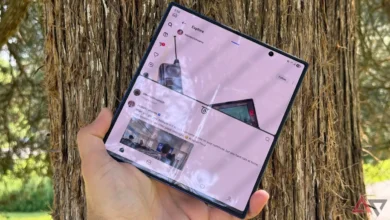
A photo organization app cut through a backlog of hundreds of redundant images in under 10 minutes, offering a faster alternative to manual gallery sorting.
The user, a writer for Android Police, shoots across multiple smartphones — both a primary device and secondary test phones — generating a higher-than-average volume of duplicate and near-duplicate shots.
The Problem With Shooting on Multiple Devices
Photographers who work across several handsets routinely accumulate duplicate files, blurred frames, and near-identical burst shots. Without a dedicated tool, sorting them manually can take hours.
The app in question scans a device’s photo library and groups similar images together, letting the user review clusters and delete the weakest shots in bulk. This batch-deletion approach — selecting multiple images at once rather than one at a time — is what compressed the cleanup into a single short session.
How the App Works
Most gallery apps on Android and iOS offer basic organization by date or album. They do not identify visual duplicates or rank images by quality within a burst sequence.
Dedicated cleanup apps use on-device image analysis to flag near-identical photos. They typically sort groups by similarity score, resolution, or sharpness, then surface the strongest candidate from each cluster as the suggested keeper.
The user cleared several hundred images without reviewing each photo individually. That volume, handled manually, would require tapping through every frame and making individual delete decisions — a process that scales poorly as libraries grow.
Storage and Device Performance
Photo libraries are among the largest consumers of local storage on modern smartphones. Apple notes that its Photos app offloads full-resolution originals to iCloud when local storage runs low, but the files still exist and still count against a user’s cloud storage quota.
On Android, Google Photos offers similar tiered storage. Google states that photos backed up in “Storage saver” quality — compressed to 16 megapixels — do not count against Google account storage, though original-quality backups do.
Either way, duplicate files consume real quota. Removing them reduces cloud storage costs for users approaching their plan limits.
Who Builds These Tools
Several third-party developers offer photo cleanup utilities on both major platforms. Gemini Photos, Cleaner for iPhone, and Google’s own Magic Eraser — bundled with Pixel devices and Google One subscribers — each approach the problem differently.
Some focus on exact-duplicate detection. Others use machine learning to assess sharpness, exposure, and composition before recommending which version to keep.
The Android Police writer did not name the specific app used in the original account, leaving the field open across the category rather than pointing to a single product.
Context
Smartphone cameras have grown more capable with each hardware generation, and burst shooting — where the camera fires multiple frames per second to capture fast action — has become a default feature on most flagship devices.
IDC reported that global smartphone shipments reached approximately 1.17 billion units in 2023, the majority of which shipped with multi-lens camera systems capable of burst and computational photography modes.
That combination — powerful cameras, burst defaults, and multi-device ownership — drives library bloat faster than most users anticipate.