
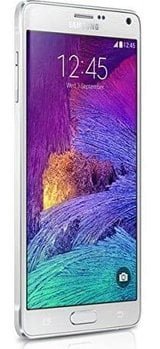
Samsung Galaxy Note 4 is a one of most popular phablet out there in gadgets market and lots of custom Roms are available for it. In this post we have a very unique Rom for Note 4 having ported features from most of the major custom roms such as CyanogenMod, SlimRoms, PAC-Rom, Paranoid and few more. That means, in one single package, you’ll be served with tons of features from multiple Roms.
If you are looking for best custom Rom for Galaxy Note 4, then you would definitely satisfy with this CMRemiX Rom, it is based on latest CyanogenMod Android Lollipop firmware, with lots of powerful features, smooth interface, customization options to make your device stand out from others, in terms of stability and performance, it performed very well. The Rom has been optimized in all aspects such as memory, power, storage, etc for improved and stable performance.
In this guide, we’ll serve you with complete step by step tutorial to install this CMRemiX Lollipop Rom on Samsung Galaxy Note 4 in most easy way. However, in order to install this Rom successfully, you should follow each step without skipping them and do it as mentioned.
If you would like to know more about this Rom, read about its features and new updates, visit here. Read all the pre-requisites mentioned in below list and make sure to prepare your device accordingly.
Pre-requisites
- Remember this Rom has been specifically built for Samsung Galaxy Note 4 (Snapdragon) and it meant nothing for any other device. This Rom should not be installed on any other device, it can hurt it badly.
- Also, we would like to inform you that installing this Rom will void the warranty of your device. However, you can get back to stock firmware anytime using the stock firmware.
- Make sure to save all the important files those are being stored under the device’s memory to some safe place as installation will go through wipe out process which will erase everything stored under it. Learn → how to save Apps with their data to safe place.
- We also recommend to back up your current Rom, it would be great relief to you in case of brick or you wanting to go back to old Rom. You can back up your Rom in the recovery mode.
- Most importantly, to install this Rom, your phone should have a custom recovery (CWM or TWRP).
- Enable USB debugging option in your phone. To enable this option, move to settings then “Developer options” and then check the USB debugging box.
- Charge your phone to good extent.
Note: Installing this Rom would void it’s warranty, and in case you get your device bricked, we’ll not be responsible for that.
Visit: Best Root apps for high performance
Downloads
- Download the CMRemiX Lollipop Rom for Galaxy Note 4 from here.
- Download the Google apps package from Opengapps.org.
How to install Install CMRemiX Lollipop Rom on Samsung Galaxy Note 4
- Firstly download both files listed in download section and put them into the device’s memory. Remember their names and locations.
- Now, turn off your device and wait at-least 3 -5 seconds.
- Now we boot device into recovery mode. Press and hold Volume Up + Home + Power buttons at same time until Samsung’s Logo appears on phone screen, then release the buttons and you’ll be directed to recovery mode.
- For completely clean installation, under recovery mode, select “wipe data/ factory reset” and select “yes” on next screen to confirm you selection.
- Now its time to flash this Rom, from recovery options, select “install zip from sdcard”, then “choose zip from sdcard” and then browse and select the downloaded Rom zip file “CMRemix-trltexx-LP.12.1.OFFICIAL-20150316-032501.zip” file. Select “yes” on next screen to approve your selection. It may take several minutes to complete.
- Similarly, flash the CMapps zip file using recovery mode.
- Go back to main menu, select “reboot system now” and all done.
You’ve successfully installed CMRemiX Lollipop Rom on your Samsung Galaxy Note 4. For the very first time, it may take several minute to start. Very soon it will take your home screen. Also visit our → list of best PSP games which you in enjoy on your phone using PPSSPP Emulator.
-

-

-

-

-

-

-

-

