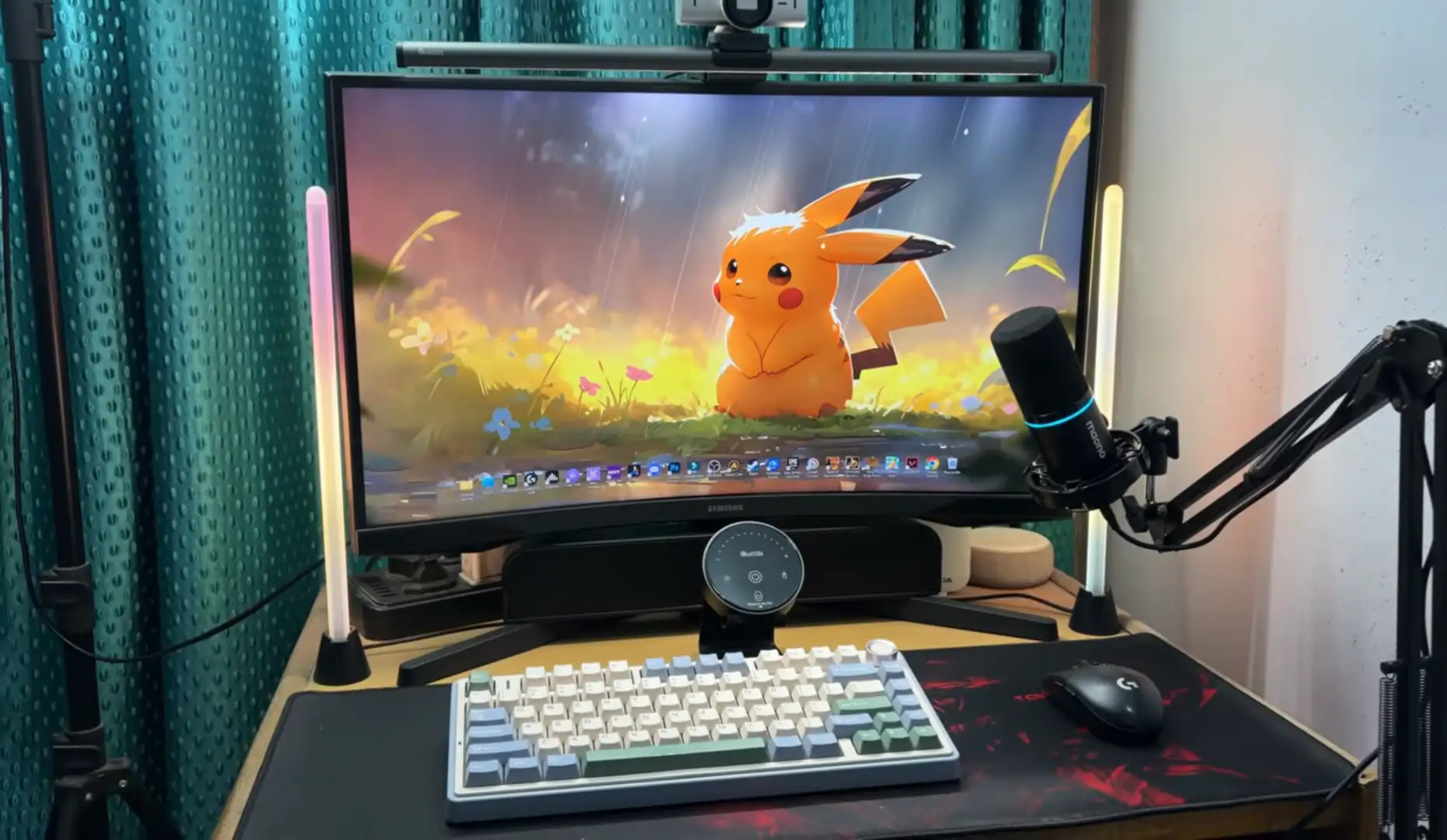
The Quntis Monitor Light Bar Glow can provide useful lighting across the main working area of a typical computer desk. However, its 900-lux rating refers to center illuminance, so it doesn’t mean the entire desk receives 900 lux.
That’s an important point to understand before looking at the numbers.
The 51 cm bar sits above your monitor and directs its front light toward the desk. As a result, the area directly below and in front of the monitor should get the most useful task lighting, while illumination can become weaker farther away.
So, if you’re mainly lighting a keyboard, mouse, notebook, or nearby documents, the Glow 51 cm can be a practical fit. If you’re trying to illuminate a very wide or deep desk, though, you may need additional lighting.
How Much Desk Area Can the Quntis Glow 51 cm Illuminate?
The Glow 51 cm can illuminate the main computer-working area, but it isn’t designed to provide perfectly even light across an entire large desk.
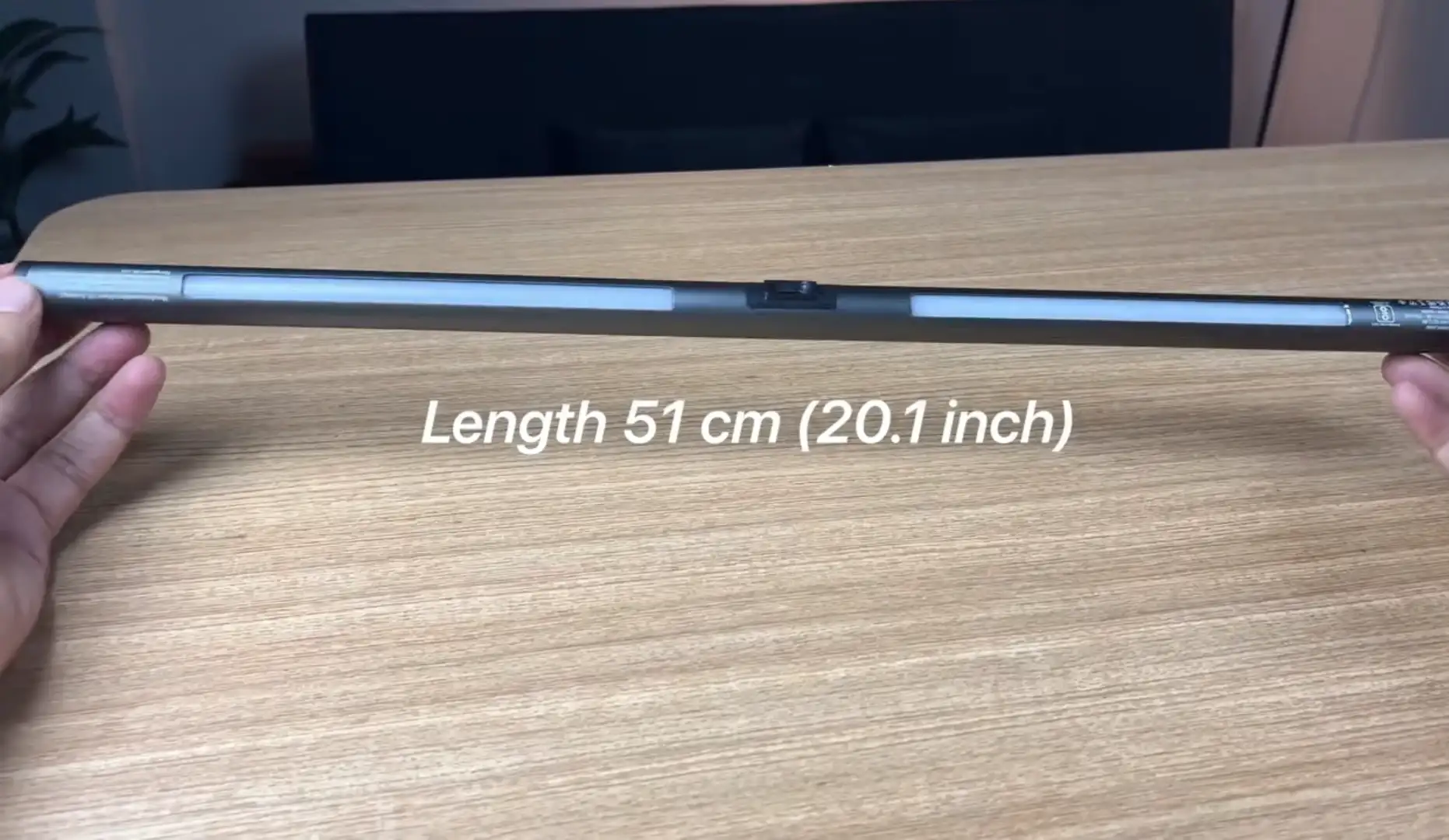
Quntis lists this model at 51 cm (20.1 inches) and rates it for monitors from 17 to 32 inches. The manufacturer also specifies 900 lux of center illuminance.
Those specifications give us a useful starting point.
The 51 cm length tells us how wide the light source is. The 900-lux figure tells us about illumination at the center. However, neither specification tells us exactly how much light will reach every part of your desk.
That’s normal for a monitor light.
In practice, you’ll likely get the most useful coverage around the area where your keyboard and other frequently used items sit.
What Does 900 Lux Actually Mean?
The 900-lux figure is a center measurement, not a claim that your entire desktop receives 900 lux. Quntis specifically lists the G51GY’s center illuminance as 900 lux.
This distinction matters because illuminance changes across a surface.
For example, the area directly beneath the strongest part of the beam may receive substantially more light than an area far to the left or right. As you move farther from the central zone, the illumination can fall.
So, it’s better to read 900 lux as an indication of the lamp’s central output, rather than as a measurement of total desk coverage.
That’s also why a single lux number can’t tell you exactly how your own desk will look.
Why Does the 51 cm Length Matter?
The 51 cm length gives the Glow a relatively wide light source, which can work well with medium and larger monitors.
Quntis specifically positions the model for displays from 17 to 32 inches.
That’s useful if you’re using a 27-inch or 32-inch monitor. A longer bar can provide a more suitable span above a larger display than a noticeably shorter light bar.
However, monitor size isn’t the only thing that determines coverage.
Your desk depth, monitor position, keyboard location, and surrounding lighting all matter, too.
So, the 51 cm length can help with horizontal coverage, but it doesn’t guarantee uniform illumination across your entire desktop.
Where Will the Light Be Most Useful?
The area directly below and in front of the monitor is where the Glow 51 cm should be most useful for everyday computer work.
That’s where you’ll normally find your keyboard and mouse. You may also keep a notebook, documents, or other small items there.
Because the light is mounted above the display, its front beam is naturally suited to that working zone.
However, the farther you move an object from the central area, the more likely you’ll notice a drop in illumination.
That’s not necessarily a problem.
For task lighting, you usually care more about the area you’re actively using than the far corners of the desk.
What Happens Toward the Left and Right Edges?
The Quntis Monitor Light Bar Glow can provide useful horizontal coverage, but the outer edges of a wide desk shouldn’t be expected to match the center.
This is another reason not to treat the 900-lux specification as a coverage map.
The physical light bar is 51 cm long, while its illumination spreads beyond that length. At the same time, light intensity isn’t necessarily uniform throughout the illuminated area.
For normal computer work, that may not matter much.
If your keyboard is centered and your documents are nearby, most of the work can happen within the stronger central area. If you regularly work with documents far to one side, though, you may notice less illumination there.
Does Monitor Size Change the Result?
Yes, although monitor size is only one part of the equation.
The Glow 51 cm is officially compatible with monitors from 17 to 32 inches.
With a smaller monitor, the 51 cm bar can extend well beyond the display’s central width. With a larger display, it may look more proportionate to the screen.
But here’s the important part: physical compatibility isn’t the same as desk-lighting coverage.
A 32-inch monitor can support the light bar while the desk underneath it still extends well beyond the useful lighting zone.
That’s why your desk dimensions matter just as much as your screen size.
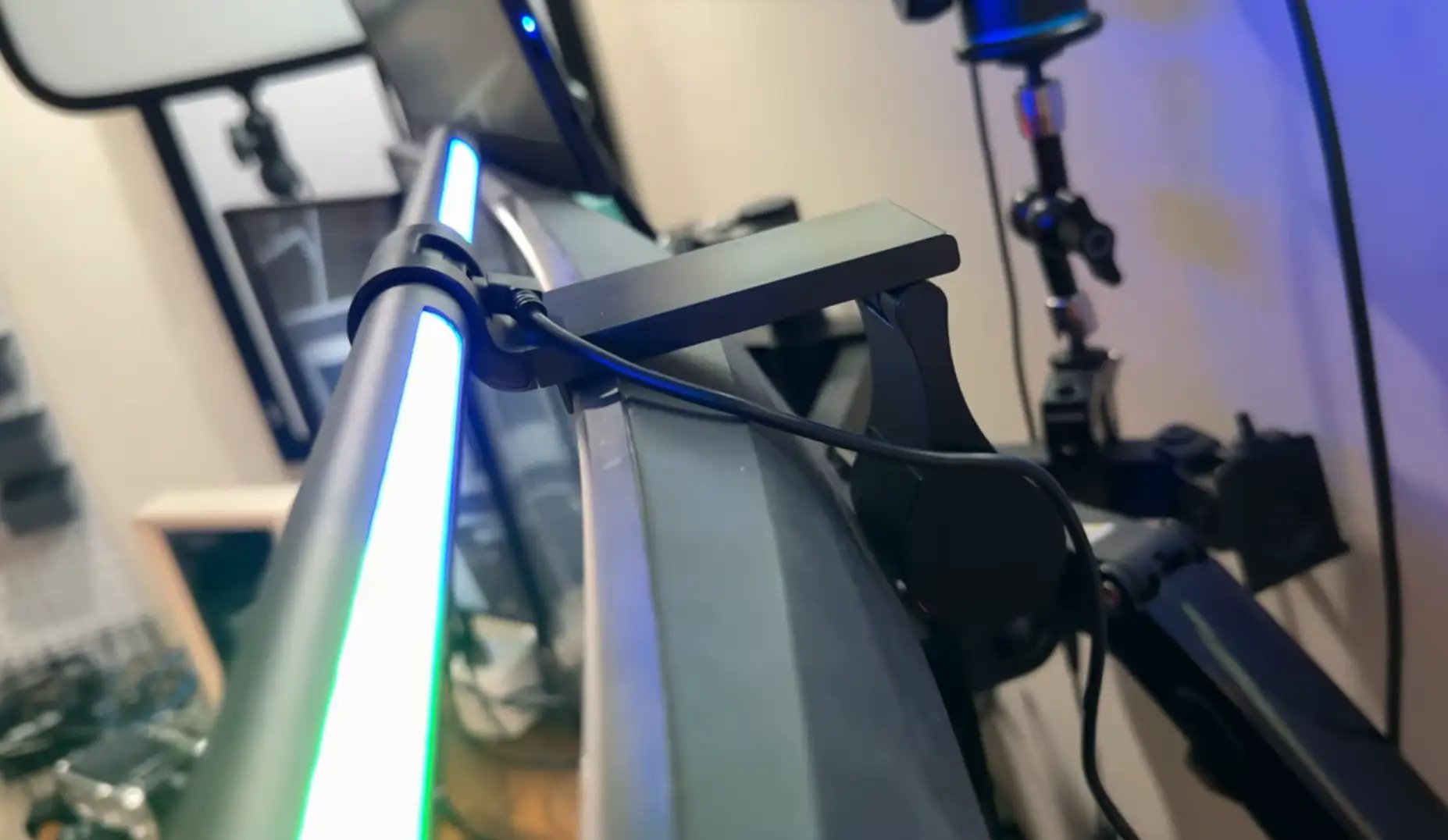
What About Curved Monitors?
The Glow 51 cm can work with compatible curved monitors, according to Quntis. The manufacturer lists both curved and flat displays among the supported monitor types.
The G51GY also uses a sliding weighted clip, with support for monitor thicknesses from 0.3 to 7 cm.
That gives you some flexibility when positioning the light.
Still, curved monitors can have different rear housings and mounting areas. So, even when a monitor falls within the published size and thickness range, the way the light sits can vary.
If you’ve got an unusually shaped monitor, it’s worth checking the mounting area before assuming the setup will be identical to a standard flat display.
Can It Replace a Desk Lamp?
It can replace a conventional desk lamp for some computer-focused setups, but it won’t provide the same coverage as a larger adjustable desk lamp.
That’s mainly because the two products approach lighting differently.
A desk lamp can sit farther away and direct light toward a larger area. The Glow stays above your monitor and focuses its front light around the computer workspace.
That can be useful if you don’t have much desk space.
It may also help reduce the need for a conventional lamp sitting beside the monitor, where reflections can become a problem.
However, if you’re drawing, doing crafts, reading across a very deep desk, or working with equipment spread over a large area, additional lighting may still make sense.
How Can You Get Better Practical Coverage?
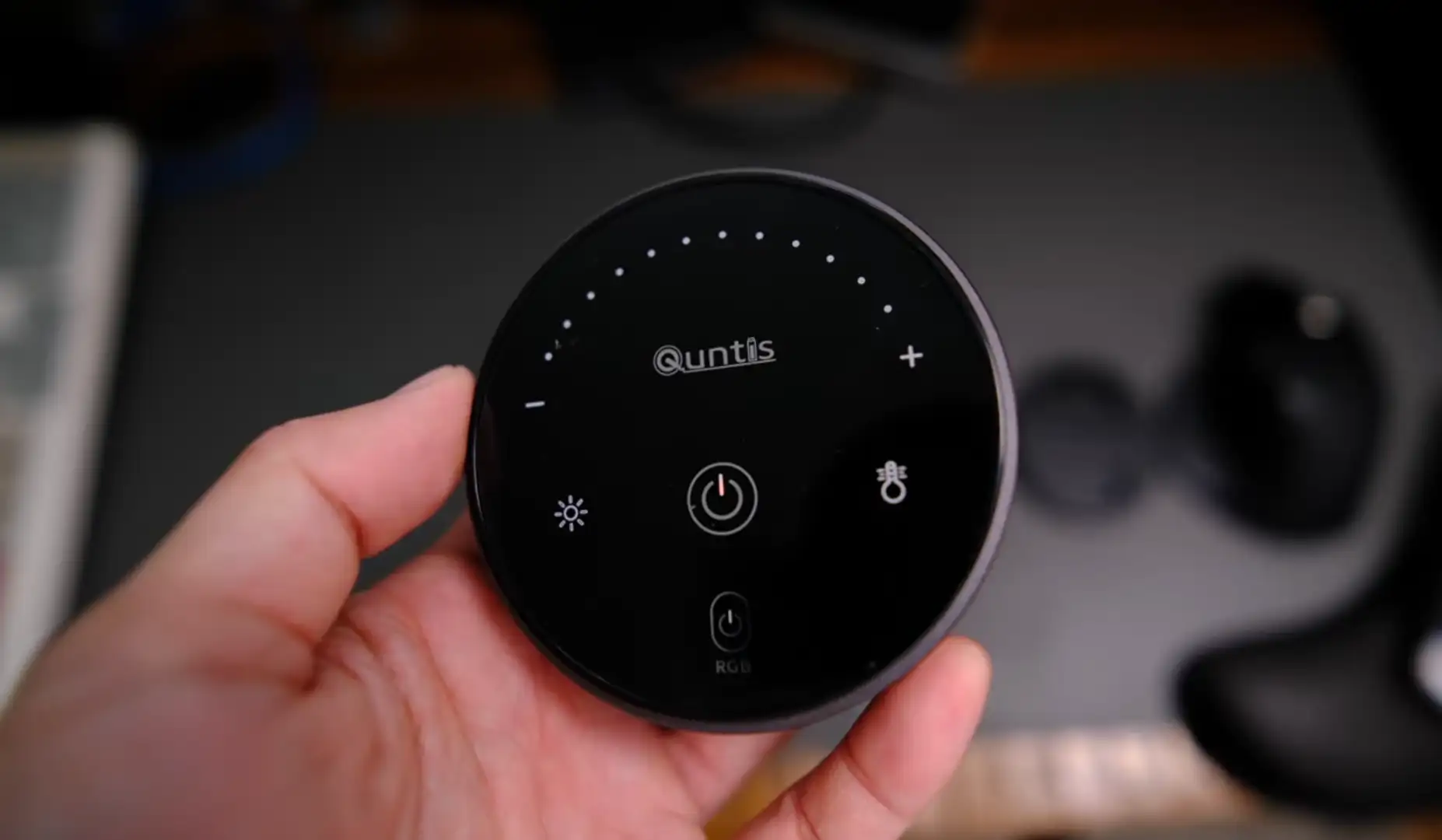
You can usually get more useful coverage by keeping your main working area within the central lighting zone.
You may find these adjustments helpful:
- Keep your keyboard reasonably centered.
- Place frequently used documents near the main working area.
- Adjust the light’s position to suit your desk.
- Set brightness according to the room’s ambient lighting.
- Avoid pushing the monitor too far back on a deep desk.
- Use the rear light when the wall behind the monitor looks very dark.
- Add room lighting if the surrounding workspace remains dim.
The goal isn’t necessarily to make every square inch of your desk equally bright.
Instead, you can focus the strongest useful light where you actually work.
Can the Desk Surface Change How Bright It Looks?
Yes, the desk surface can affect how bright the workspace appears, even when the lamp itself hasn’t changed.
A lighter surface can reflect more of the available light. A darker surface may absorb more of it and therefore look less bright.
That doesn’t mean the Quntis light is producing different output.
Rather, you’re seeing the combined effect of the light and the surface beneath it.
This is one reason two people can use the same light bar and describe the desk coverage differently.
What Should You Expect From the Glow 51 cm?
You should expect useful lighting around the central computer-working area, rather than perfectly even illumination across your entire desktop.
The 51 cm bar gives the Glow a broad physical light source, while the 900-lux specification describes its center illuminance. Quntis also provides front and rear lighting, stepless dimming, and a 3000K to 6500K color-temperature range.
Your actual coverage will still depend on several factors:
- Monitor size
- Desk depth
- Monitor position
- Keyboard position
- Desk surface
- Room lighting
- Light-bar position
- Distance between the monitor and your working area
So, there’s no single desk-area figure that will accurately describe every setup.
That’s also why a real coverage test needs multiple lux measurements rather than one reading in the center.
How Would You Measure the Coverage Yourself?
If you want an exact coverage map for your own desk, you can measure several points instead of relying on the 900-lux headline figure.
A simple grid could include:
| Measurement point | What it tells you |
| Center below monitor | Central illumination |
| Left keyboard area | Left-side coverage |
| Right keyboard area | Right-side coverage |
| Front-center desk | Depth coverage |
| Left-front desk | Corner falloff |
| Right-front desk | Corner falloff |
This approach would give you a much clearer picture of how the Glow behaves on your particular desk.
And importantly, it avoids pretending that one manufacturer measurement can describe every workspace.
Wrapping Up!
The Quntis Monitor Light Bar Glow 51 cm can provide useful coverage across the main working area of a typical computer desk, but its 900-lux rating shouldn’t be interpreted as uniform 900-lux coverage.
The 51 cm length gives it a useful span for the manufacturer’s stated 17- to 32-inch monitor range. The front light is the important part for your keyboard, documents, and nearby desk surface, while the rear light can add ambient illumination behind the display.
Most importantly, 900 lux is a center illuminance figure. It doesn’t tell you how bright the far edges of your desk will be.
So, if your workspace is mainly for computer work, the Glow 51 cm can provide the focused lighting you need. If you’ve got a very deep or wide desk, though, you may want another light source for areas outside the strongest part of the beam.
In short, the Glow 51 cm is best thought of as a monitor-area task light, not a whole-desk lighting system.
Official website and product link:
https://www.quntis.com/products/led-screenlinear-glow-series-ml215-20-1inch