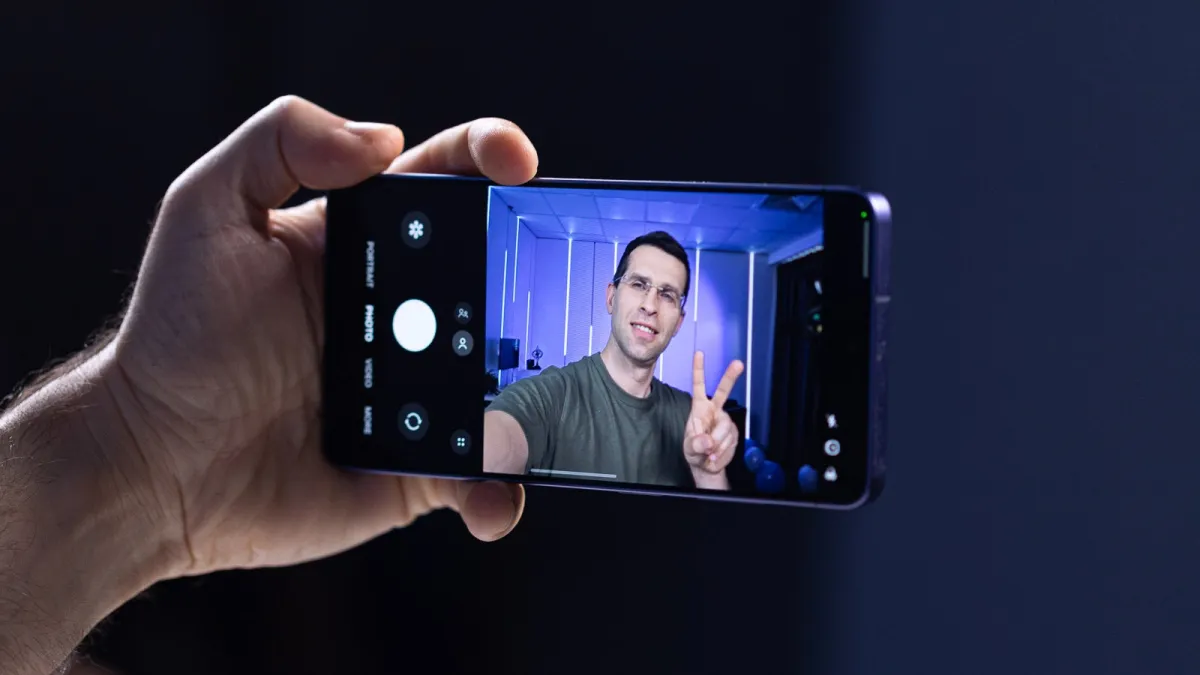
Samsung’s Galaxy S26 Ultra ships with a wider front-facing camera and updated image processing that together produce noticeably sharper, broader self-portraits than its predecessor.
The wider field of view — the angle a lens captures in a single frame — Lets Users fit more people or background into a shot without stepping back or switching to a rear camera.
What Changed on the Front Camera
Samsung widened the selfie lens on the S26 Ultra compared to the S25 Ultra, though the company has not yet published the exact aperture or focal-length specifications in its official press materials.
The updated image processing pipeline handles detail retention and skin-tone rendering, two areas where previous Galaxy front cameras drew criticism from reviewers.
Still, hardware alone does not determine the final image — shooting technique matters just as much.
Lighting Makes the Biggest Difference
Natural light from a window or open sky produces the most even illumination for selfies on any smartphone, including the S26 Ultra.
Shooting with the light source in front of you — rather than behind — prevents the camera from silhouetting your face against a bright background.
Indoor artificial lighting, particularly overhead fluorescent or warm-toned bulbs, can introduce color casts that the S26 Ultra’s processing must work to correct.
Using the Screen as a Viewfinder
Samsung’s front camera defaults to a preview crop, which means the saved image may capture a slightly wider frame than what appears on screen before the shutter fires.
Tapping the expand icon in the camera app switches to the full-width preview, giving a more accurate representation of the final shot.
That said, some users prefer the cropped preview for portrait-style framing and switch to full-width only for group shots.
Portrait Mode and AI Tools
The S26 Ultra’s portrait mode applies a bokeh effect — artificial background blur — to front-camera shots, separating the subject from the background.
Samsung’s on-device AI adjusts edge detection, the process of identifying where a person ends and the background begins, to reduce the halo artifacts that plagued earlier implementations.
Users can adjust the blur intensity with a slider that appears after tapping the aperture icon in the camera interface.
Stabilization and Timer Tips
Holding the phone at eye level rather than below the chin reduces distortion that wide lenses can introduce to facial proportions.
The built-in two- and ten-second timer options allow hands-free shots, which eliminate the micro-shake that pressing the shutter button can cause.
For video selfies, the S26 Ultra’s optical image stabilization — a system that physically shifts the lens to compensate for hand movement — applies to the front camera as well as the rear.
Background Context
Samsung released the Galaxy S26 series in early 2025 as its flagship Android lineup for the year.
The S26 Ultra sits at the top of the range, carrying the highest price point and the most advanced camera array of the three models Samsung introduced.
Front-camera quality has grown in commercial importance as social video platforms drive demand for higher-resolution, better-lit self-recorded content.